The future of the desk is digital. It’s here.
Eggbeater Desk now reads the Colorado console — the clock, the period, the shot clock and the cap numbers come straight off the board.
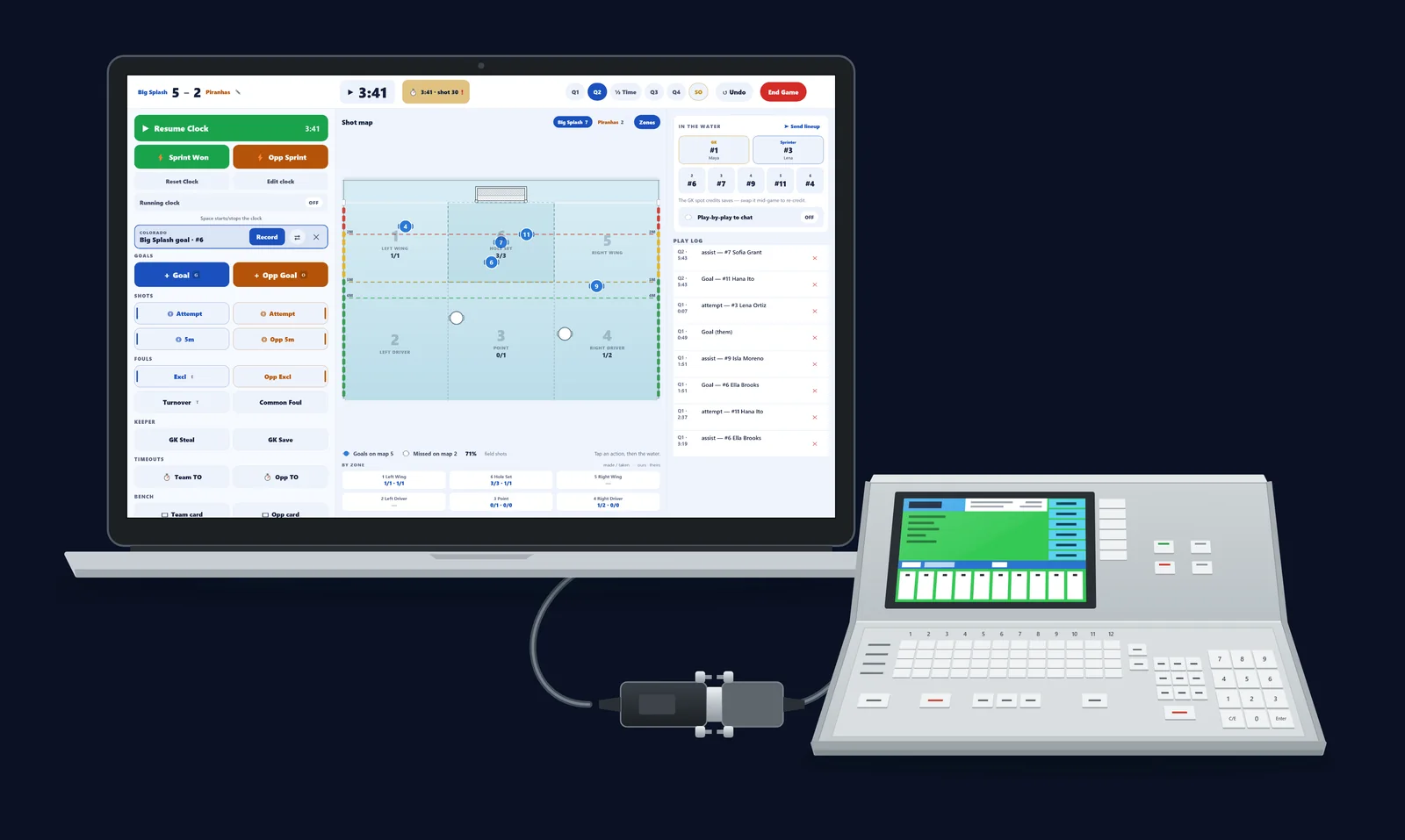
Move off the paper desk. Your console already knows the time, the period, the shot clock and every goal and exclusion your table enters. Until now, somebody at the table still had to copy all of it down by hand — onto a scoresheet or into an app — while the game kept moving.
By Eggbeater Water Polo · October 3, 2026 · 6 min read
Eggbeater Desk now works with Colorado Time Systems System 6 consoles, and it reads all of that straight off the board. The console keeps time. The Desk keeps the game: every play live for spectators, every stat on the sheet, and a final the referees sign off at the desk.
All you need is the right adapter
Two parts sit between the console and your laptop: a scoreboard tap — a ¼-inch mono plug wired to a DB-9, with a pass-through so the pool’s scoreboard keeps working — and a USB-to-RS-232 serial adapter. Here is the whole connection, end to end.
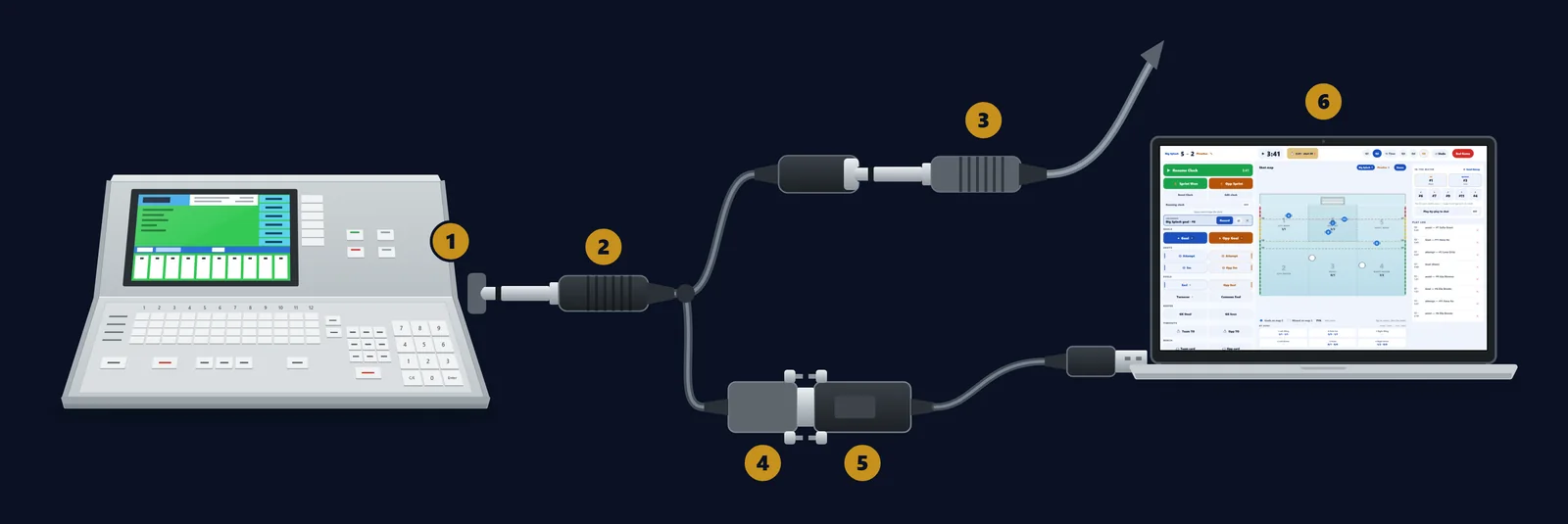
- Scoreboard jack. On the console: the ¼-inch (6.35 mm) jack labeled Scoreboard. A one-way serial feed of the board’s digits — the same signal the pool’s scoreboard reads.
- ¼-inch mono plug. The tap: a ¼-inch mono (TS) plug wired to a DB-9. Tip → pin 2 (receive data), sleeve → pin 5 (ground).
- Pass-through. The pool’s scoreboard cable plugs back in here, so the scoreboard keeps working. Off the shelf, same job: a ¼-inch Y-splitter plus a ¼-inch-to-DB-9 lead.
- DB-9. The tap’s DB-9 end, into the adapter.
- USB-to-RS-232 adapter. A real RS-232 (DB-9) serial adapter. Not a “TTL”, 3.3 V or 5 V serial cable — those don’t speak the console’s signal.
- Eggbeater Desk. On a Windows PC or a Mac.
The one we used at Battle By the Bay: a Tripp Lite USB-to-serial adapter with a Prolific PL2303 chip. Windows installed the driver by itself, and the adapter showed up as COM5. On a Mac, install Prolific’s PL2303 macOS driver first — or use an adapter with an FTDI chip, which a Mac runs without a driver.
Line format: 9600 baud, 8 data bits, even parity, 1 stop bit (8E1). That’s the console’s Scoreboard setting FAST. SLOW = 2400.
Console reading runs on Windows and Mac — tablets have no serial port. The Desk itself runs on Mac, iPad, Windows and Android tablets, with a console or without one.
What the Desk reads from the board
Once it’s connected, the Desk follows the board. Every picture below is the real Desk, zoomed in.
The game clock
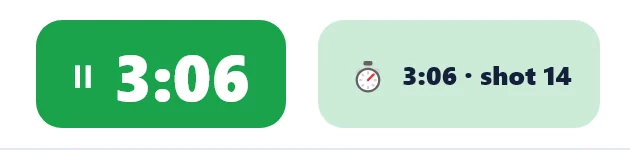
Start, stop and the time follow the console to the second. There’s no clock to run at the desk — and never a second clock against the board.
The shot clock
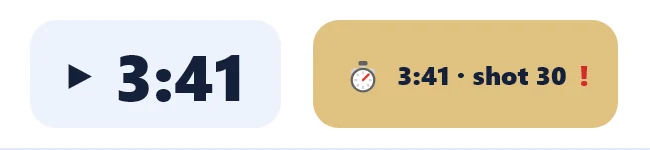
Read off the board and shown live to spectators beside the game clock: in the Eggbeater app, on the web and on the iPhone lock-screen Live Activity.
The period and the breaks
The Desk follows the board’s period and recognizes quarter breaks and halftime. The quarter holds at 0:00 while the break counts down — and spectators see the same countdown: “Quarter break 1:45”, “Halftime 4:12”. Rolling out now.


Goals, with the cap number
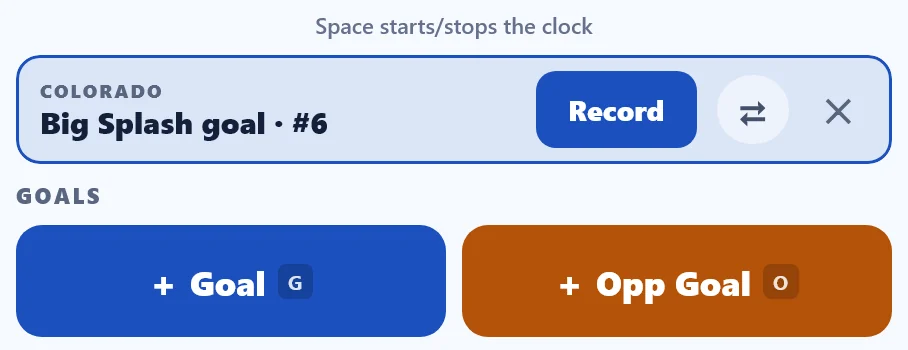
The table enters a goal and the cap on the console, and the Desk offers it as a COLORADO prompt with the scorer filled in. Record fills in the player and opens the rest — shot type, assist, where it went in, where it came from — every step skippable. No cap on the board? The Desk asks for it.
Exclusions, with the cap number
The board’s 20-second exclusion timers arrive the same way, cap included. Wrong team? ⇄ on an exclusion prompt flips just that one exclusion. Tap Record and the 6-on-5 banner counts down, then clears itself.
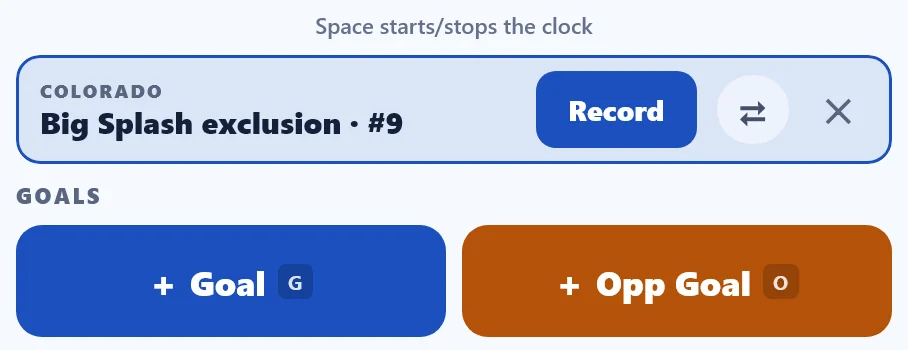
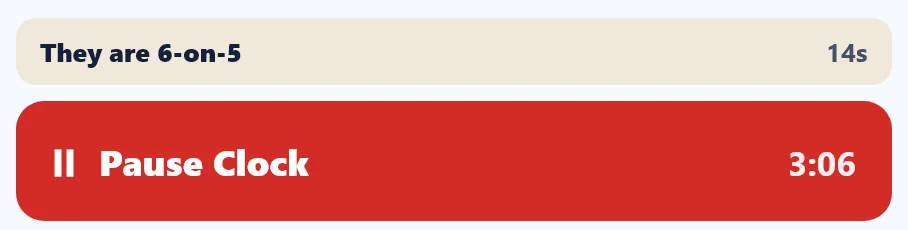
Nothing counts twice. The Desk never records a goal or an exclusion by itself. Every console entry waits for one tap from your scorer: Record, or ✕ to dismiss it.
A scoreboard check
The Desk compares the board’s score with its own. When they differ, the console chip turns gold with a red “!”. Here the board already shows Big Splash’s sixth goal, and the Desk is waiting for the scorer to tap Record. It never changes the score on its own.
The end of the game
The final keeps its last quarter and clock, even after the board is reset for the next game.
The whole board, on one screen
The console runs the clock. Your scorer runs everything else, from one screen. This is the real Desk, mid-game, with the console connected.
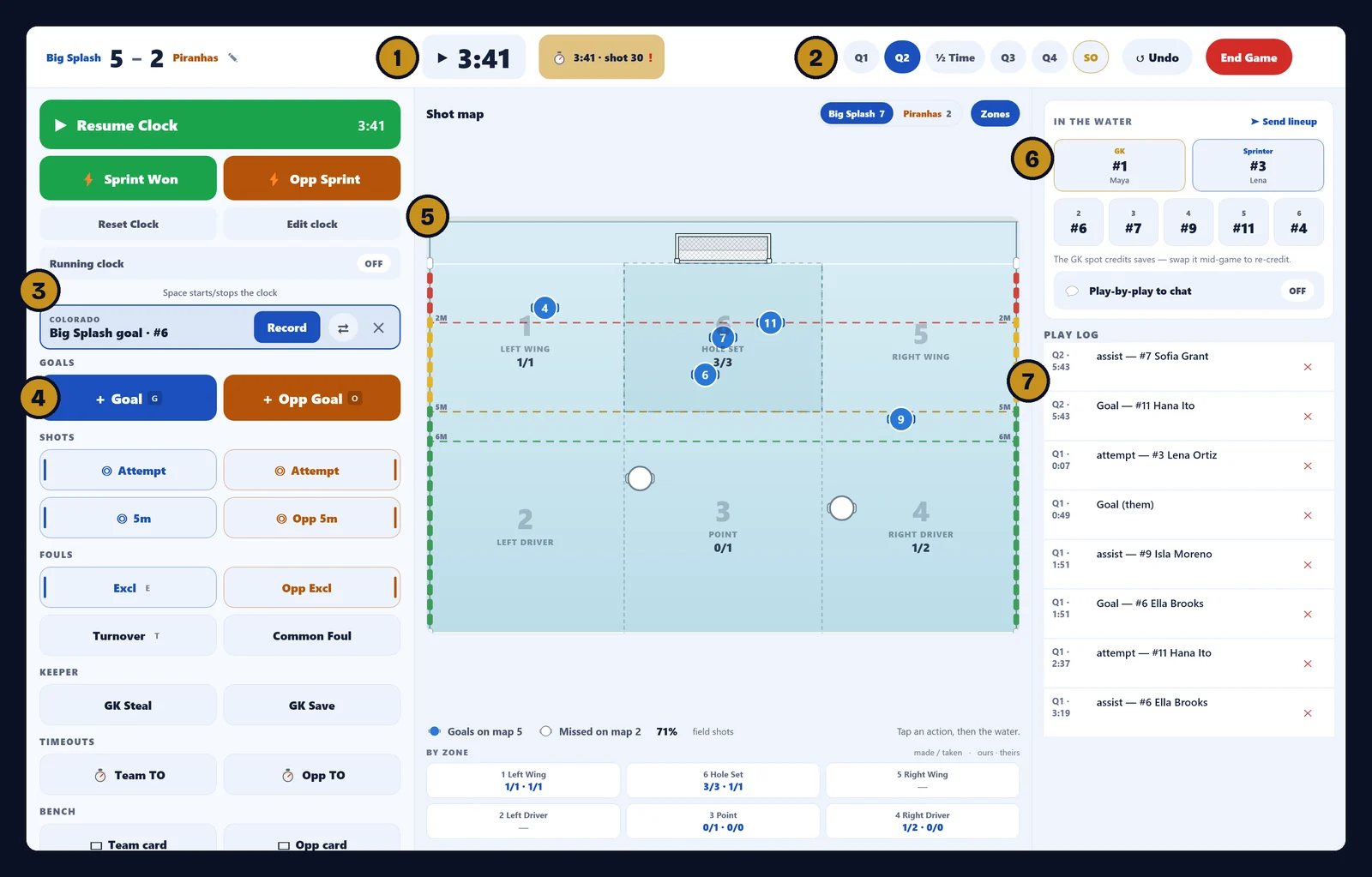
- The clock follows the console. Game clock, start and stop, and the shot clock come off the board. The chip shows what the console sends.
- Periods, halftime, shootout. Q1 to Q4, ½ Time and SO in one bar, following the board’s period.
- The COLORADO prompt. The board’s goals and exclusions, by cap, one tap from the record.
- The action grid. Goals, shots, 5m, exclusions, turnovers, keeper, timeouts and cards.
- The shot map, drawn to scale. Every shot on the real field: the 2 m, 5 m and 6 m lines, six zones, and the cap where it was taken.
- Who’s in the water. The goalkeeper and sprinter slots, and the rest of the seven in the water.
- The play log. Every play, newest first — and every one of them undoable.
Also at the table
- The full stat sheet — goals, assists, shots and saves, exclusions drawn, 5m penalties (who earned it and who took it), blocks, sprints, turnovers, timeouts and cards.
- Two-way scoring for tournaments — score both teams. A tournament desk can score every game in the tournament from the director’s package.
- Swap devices mid-game — another Desk can pick up a game in progress without losing a play.
Referee sign-offs, at the desk
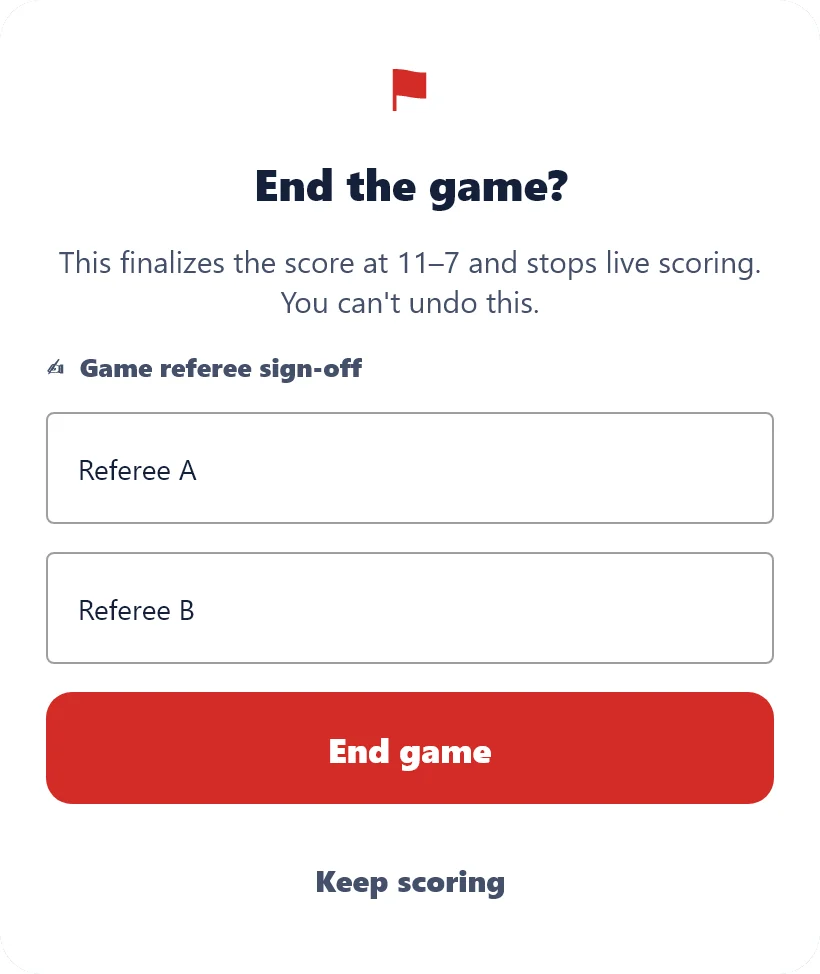
A paper scoresheet isn’t finished until the referees sign it. The Desk keeps that step. When your host requires it, the final asks for both referees’ names at the desk before it publishes — and the public result says who signed: “Signed off at the desk by Referee A and Referee B.”
No unsigned final reaches a bracket.
What fans see
Spectators never see your console. They follow the game — every play live as it happens, updated every 5 seconds — in the Eggbeater app on iPhone and Android, on the web, on Apple TV and on the iPhone Live Activity.
Now the shot clock sits right beside the game clock: in the app, on the web and on the lock-screen Live Activity. When a quarter ends, the clock on their screen turns into the break — “Quarter break 1:45” or “Halftime 4:12” — and counts down.
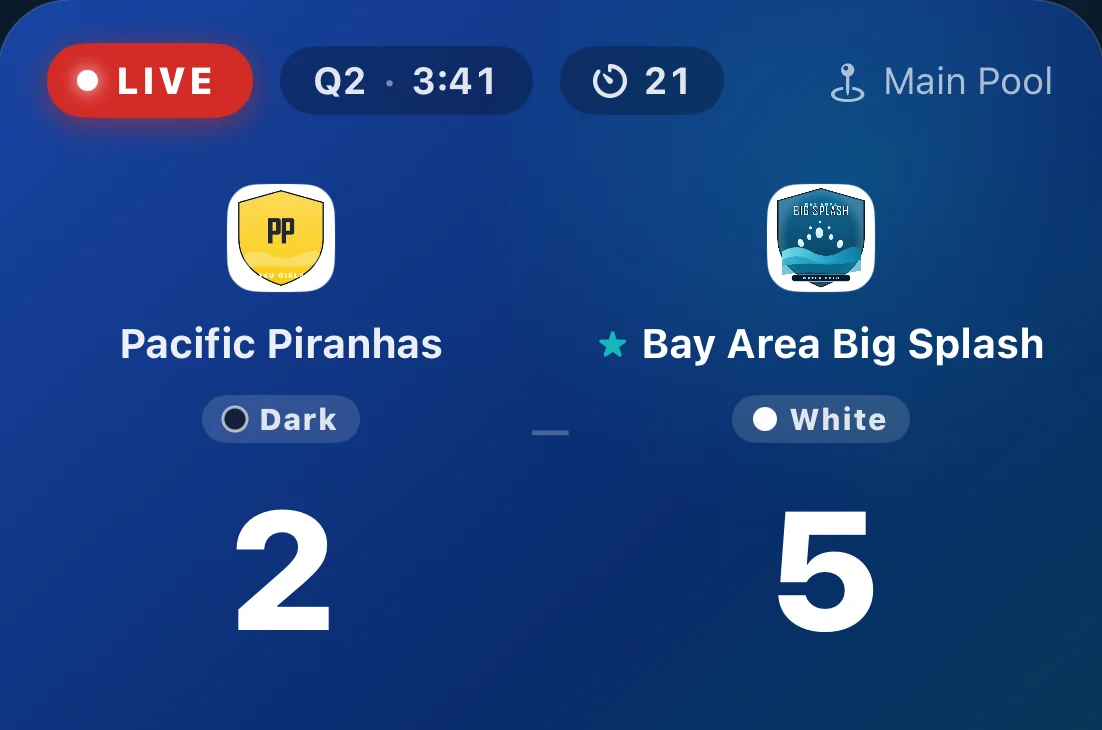
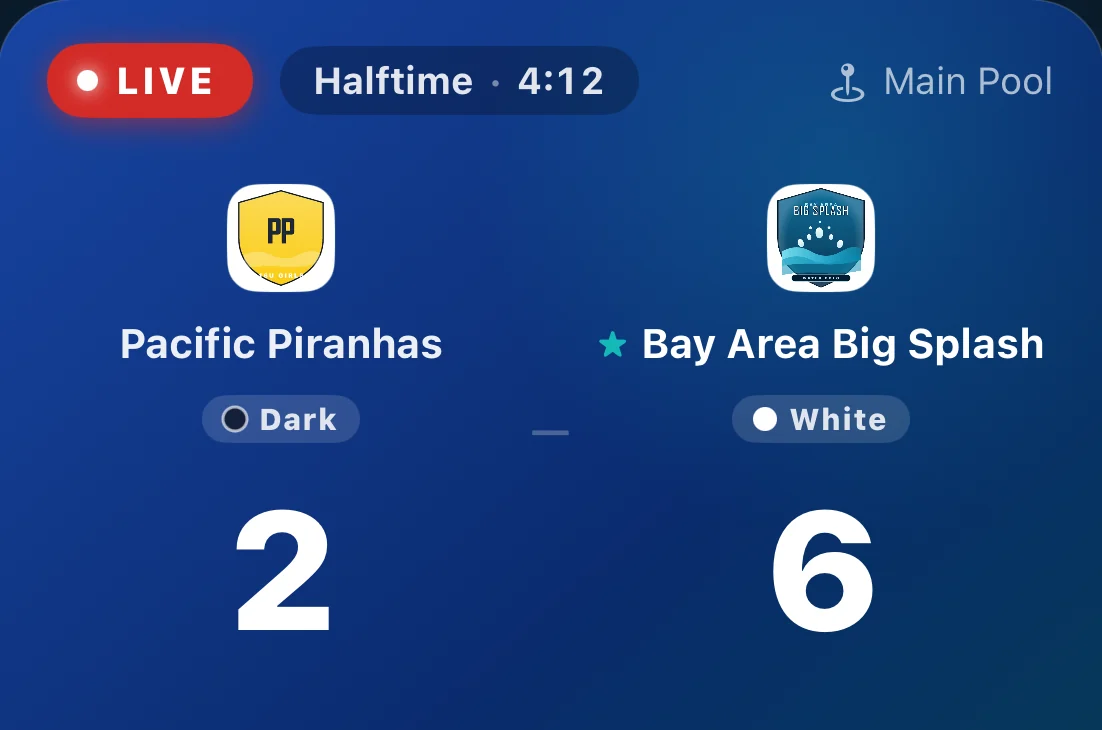
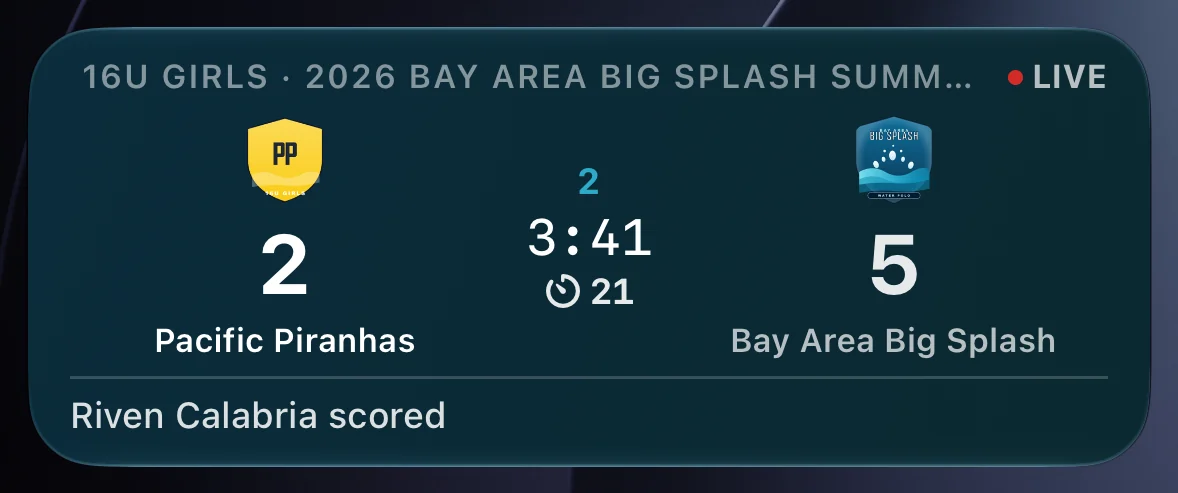
Real iPhone screenshots of the Eggbeater app, with sample teams. Fans get the Eggbeater app on iPhone and Android.
Before game day: put your club on Eggbeater
The Desk opens your club’s games, so your club has to be on Eggbeater first. Do it once, well before the first whistle.
Clubs: create your club
Start with the Club tier’s 14-day free trial — no credit card. Add your team, roster and schedule, then set a scoring password for whoever runs the table. Create your club →
High schools: claim your school
Join the High School program. Your first season is free. Claim your school →
Tournaments: use the director’s code
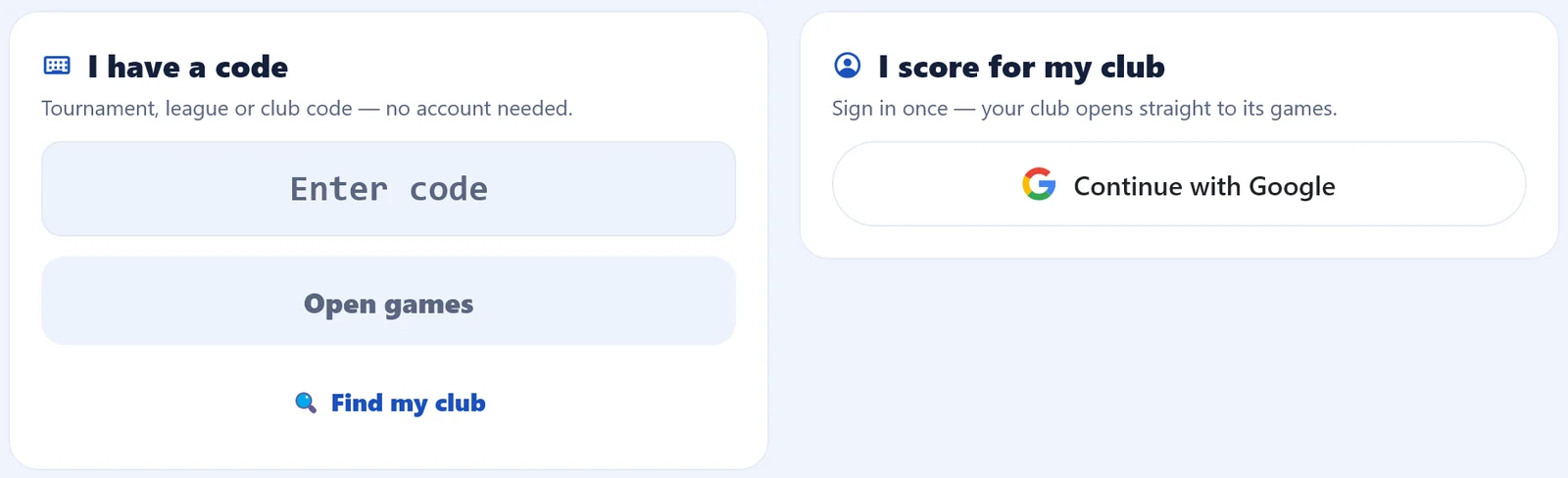
Your tournament director’s code opens every game of the event on the Desk. On the front door, choose I have a code. Read the Desk guide →
On game day, open the Desk and choose your way in:
Plans and trials: see pricing. How the Desk works: read the Desk guide.
Debuted live at Battle By the Bay
The Colorado console integration debuted live at Battle By the Bay at Encinal High School in Alameda, October 2–3, 2026. The Desk scored with the console connected, and goals and exclusions came in straight from the board.
“The future of the desk is digital — and it’s here with Eggbeater Desk.”
Where to get it
Eggbeater Desk is in all three stores. Console reading works on Windows and Mac; on iPad and Android tablets, the Desk runs without the console — tablets have no serial port.
Rolling out now: console reading arrives in this week’s Windows and Mac updates.
Move off the paper desk.
A full desk app, with Colorado console integration and referee sign-offs. The setup guide takes you from the parts to the final horn.
Read the setup guide →Colorado Time Systems and System 6 are trademarks of their owner. Eggbeater is not affiliated with or endorsed by Colorado Time Systems.