Getting started
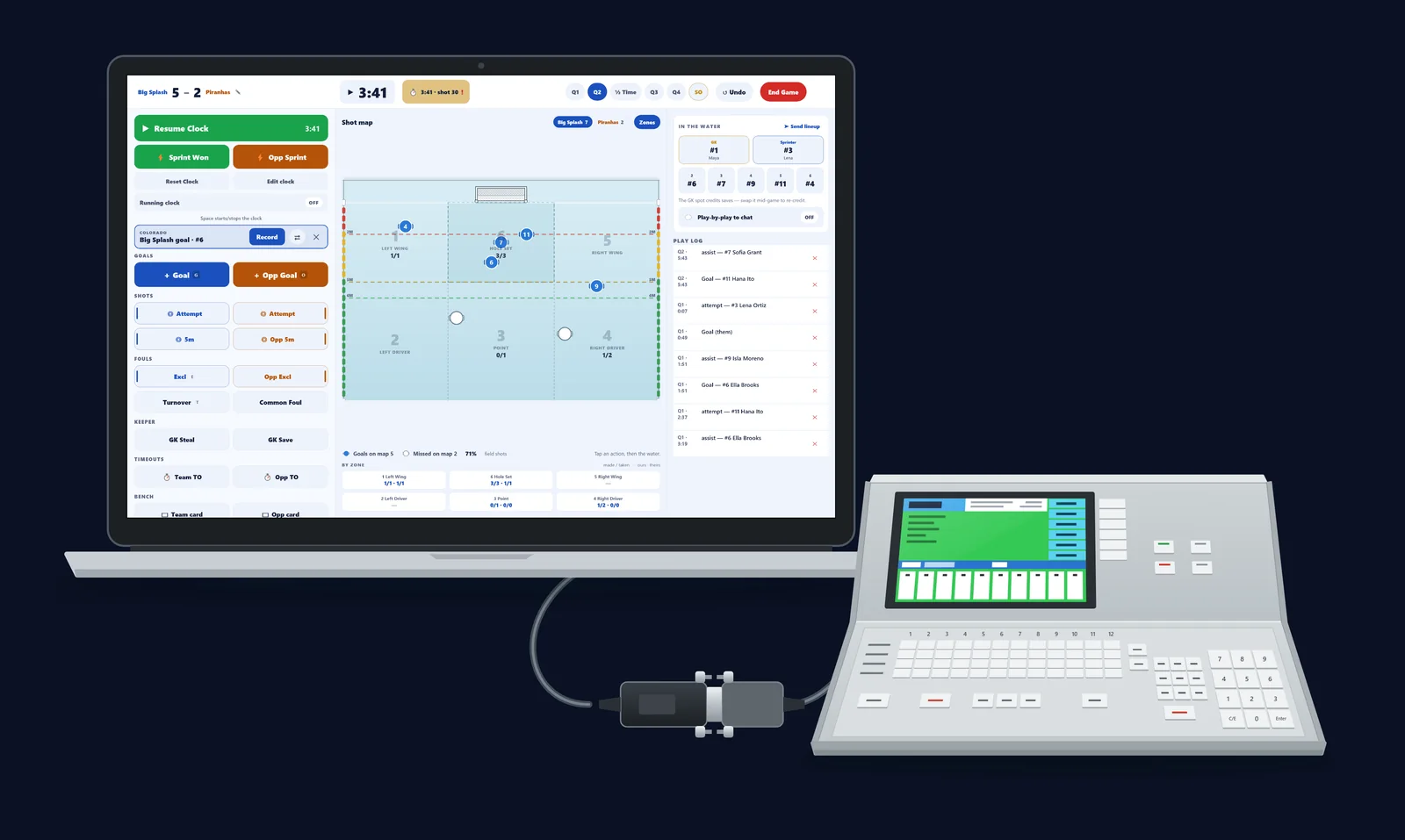
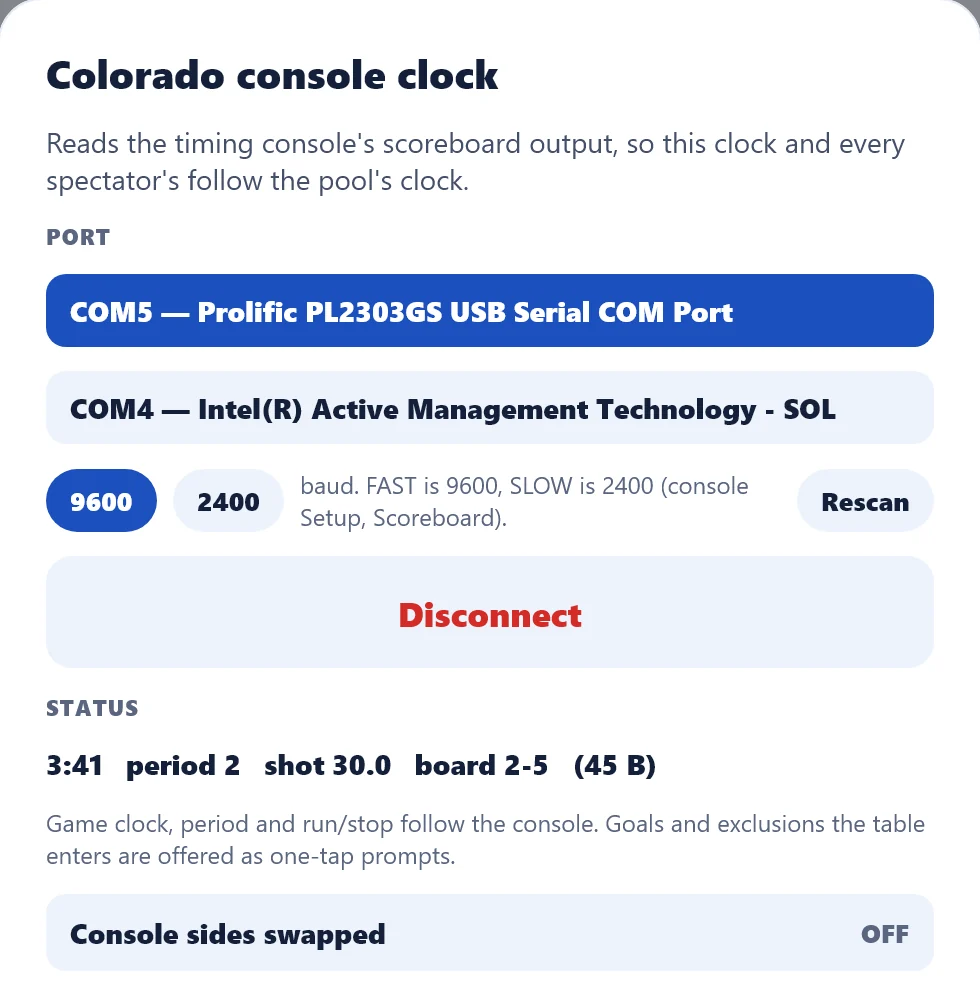
Install it free on the iPad you take to the pool, open your club, and the board opens on the game in progress. Have a Colorado console at your pool? Connect it with the setup guide.
What Eggbeater Desk is
Eggbeater Desk is a scoring console for the volunteer at the game desk. It is a separate app from the Eggbeater spectator app. The Desk is the one that writes the score, and everything it records reaches spectators, the TV and the box score within about five seconds.
- One screen. The actions, the clock, the shot map, the lineup and the play log are all in view at once. You should never scroll mid-game.
- Free, on the iPad you already have. The Mac version is on the same free listing. One app, one download, whichever you end up with at the table.
- It is not required. A phone can still score a game from the Eggbeater app. The Desk is what you want when you have a table.
Install it
Download Eggbeater Desk from the App Store on an iPad. It is free, and there is nothing to buy inside it. The Mac version is on the same listing: a real Mac app, not a stretched iPad one, where the keyboard does the work and the window resizes like anything else.
- iPad. Search the App Store for “Eggbeater Desk”. It is free, and you can install it today.
- Mac. On the Mac App Store, on the same listing, and free there too. Nothing extra to pay.
- Android tablets. Eggbeater Desk is on Google Play, with its own listing. Free there too.
- Windows. Eggbeater Desk is on the Microsoft Store, with its own listing. Free there too.
Open your club
On first launch, enter the club code your admin gave you, or sign in if your club uses accounts. Recent clubs are remembered, so the second weekend is one tap.
- Multiple squads. A club can carry several teams. Use the Team button in the header to switch between them. Each has its own games.
- Wrong club? Leave club in the header puts you back at the code screen.
Pick the game and enter the password
The games list shows every game for the squad you picked, with live games sorted to the top. Tap the one you are scoring. The board asks for your club’s scoring password once, then opens directly on the game. There is no separate “start a game” step.
- Already in progress? The board seeds itself from whatever has already been recorded, so taking over from another device mid-game is safe.
- Wrong password. The board still opens so you can set up the roster and clock. It tells you it is not syncing and asks again before anything is published.
Settings: the cog on the games list
The settings cog on the games list is for this device only. Nothing in it is published, and nothing in it belongs to the club.
- Appearance. Light, dark or follow the device. A pool deck at 8 am and a lit gym at 8 pm are different rooms.
- Language. English, Spanish or French.
- Shot map on by default, and Always track opponent stats, so a club that always wants them stops tapping them on every game.
- Volume buttons run the clock. On by default on iPad, and worth turning off if they get bumped in a bag.
- Resync rosters, and the version number support will ask you for.
Practice first. Nothing is sent.
Open Practice from the games list and you get a real board with a real roster that is not connected to anything. Every button behaves exactly as it does in a game, and nothing you tap reaches a spectator. It is the best five minutes a first-time volunteer can spend.
- Where the button is. On a Mac or a large iPad, Practice sits in the header of the games list. On an 11-inch iPad the header runs out of room and it moves into the More button (three dots) at the end of that row. Tap that and Practice is inside.