Get set up
What box scoring is, how to log in, and what the board looks like the moment it opens on your live game.
What is box scoring?
Box scoring means recording every significant event in a game (goals, exclusions, turnovers, saves) as it happens, right from your phone or tablet. Eggbeater turns that live data into a running score, a detailed play-by-play log and player stat summaries that spectators can follow from anywhere. No special equipment and nothing to install: open the Eggbeater app, log in to score, and you are ready to go. It is the same guided scorer on the web, iPhone, Android and the admin panel.
- Real-time for spectators. Every goal and period change reaches spectator devices within seconds, with no page refresh.
- Full play-by-play. Goals, exclusions, turnovers, saves and timeouts are time-stamped and attributed to individual players.
- Player stats. Goals, assists and GK saves add up on each player’s card across the whole tournament.
- Instant alerts. GroupMe and Telegram notifications go out automatically when games start, goals are scored and final scores are posted.
Login to score
Scoring is password-protected so only authorized people can enter live scores. Your club admin sets the password. Ask your head coach or tournament director if you do not have it.
- On iPhone, first turn on Scorer tools: tap the gear icon at the top to open Settings and switch on Scorer tools. This reveals the Score this game button. It is a one-time step; on the web and Android the button is always shown.
- Open the Eggbeater app and go to the Scores tab. You will see a Score this game button. Tap it.
- Choose what you are scoring: a “Tournament / League” game, or one of “My Club’s” own games. Both broadcast live to spectators. If you pick My Club on a game that is part of a tournament or league, Eggbeater warns you that it sends a separate club feed that can diverge from the official score.
- Enter the scoring password and tap Continue. The board opens directly on the live game. There is no separate “open a game” step and no 6-character code to type in.
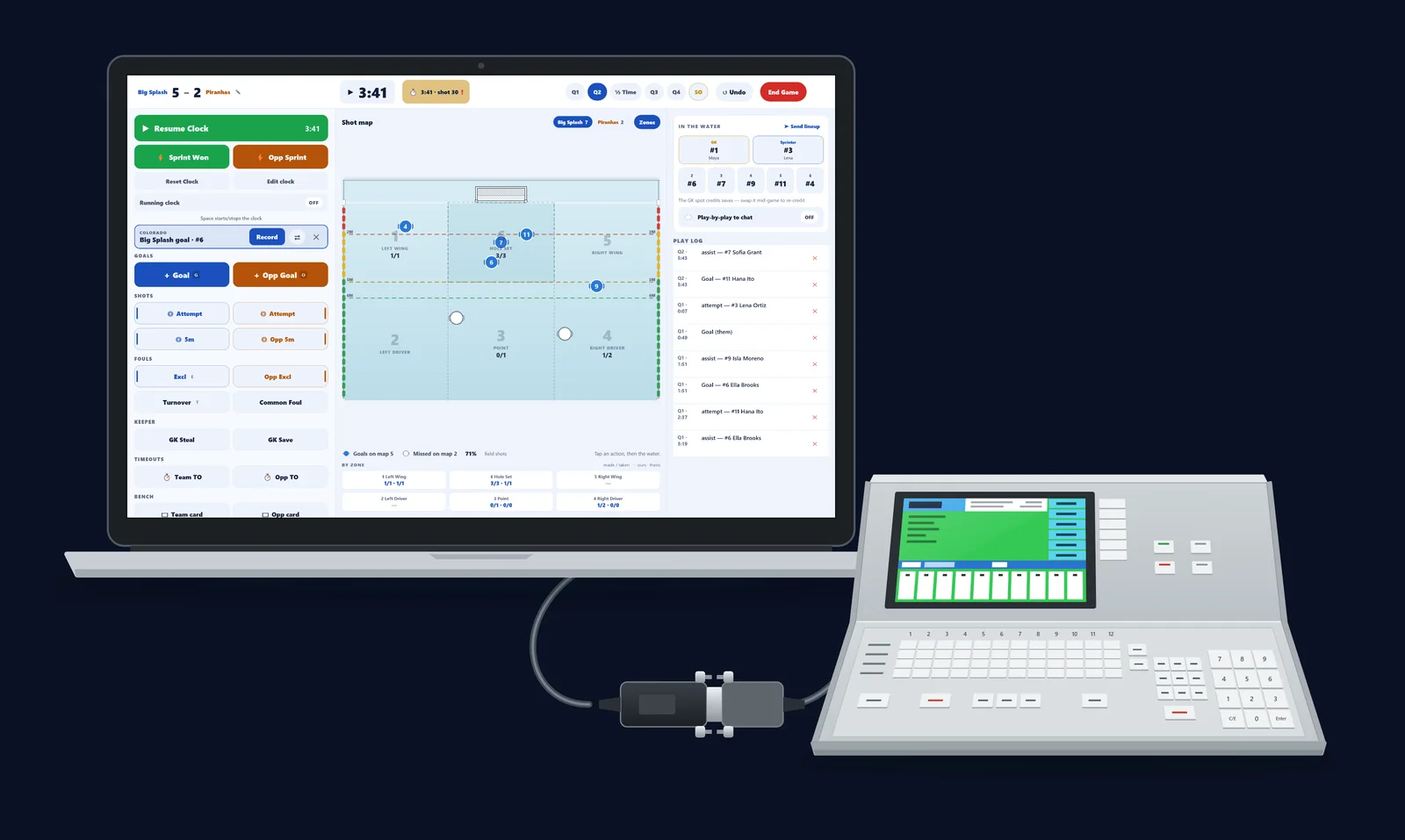
The board opens ready
You do not pick a game or confirm cap colors. The board opens on the live game already set up. It seeds the current period and clock from the live game, puts both teams on the correct sides, and labels each team’s cap color (White or Dark) automatically.
- Score header. Both team names with their cap-color badge and the running score. Your own team is highlighted.
- Game period bar. Start, Q1, Q2, ½ Time, Q3, Q4, with SO appearing only if the score is tied at full time.
- Live to fans. A status pill shows the board is broadcasting. It reads “Saving…” for the moment an event is syncing.
Resuming a game already in progress
Open a game again mid-stream and the board picks up exactly where it left off. It rebuilds itself from the live game’s existing events.
- The score, period and game clock resume at their live values, not 0 to 0 at the top of the period.
- Kickout counts and any ejections (BENCHED players) are restored, so the 3-kickout rule keeps counting correctly.
- Every new action is added to the same live stream and broadcast to spectators.