The Family hub
Today, at a glance
My kids across every team and club, what is on today, the latest announcement and each team’s chat and game-day threads, grouped by child. Kids can play on several teams and in several clubs; they all land here.
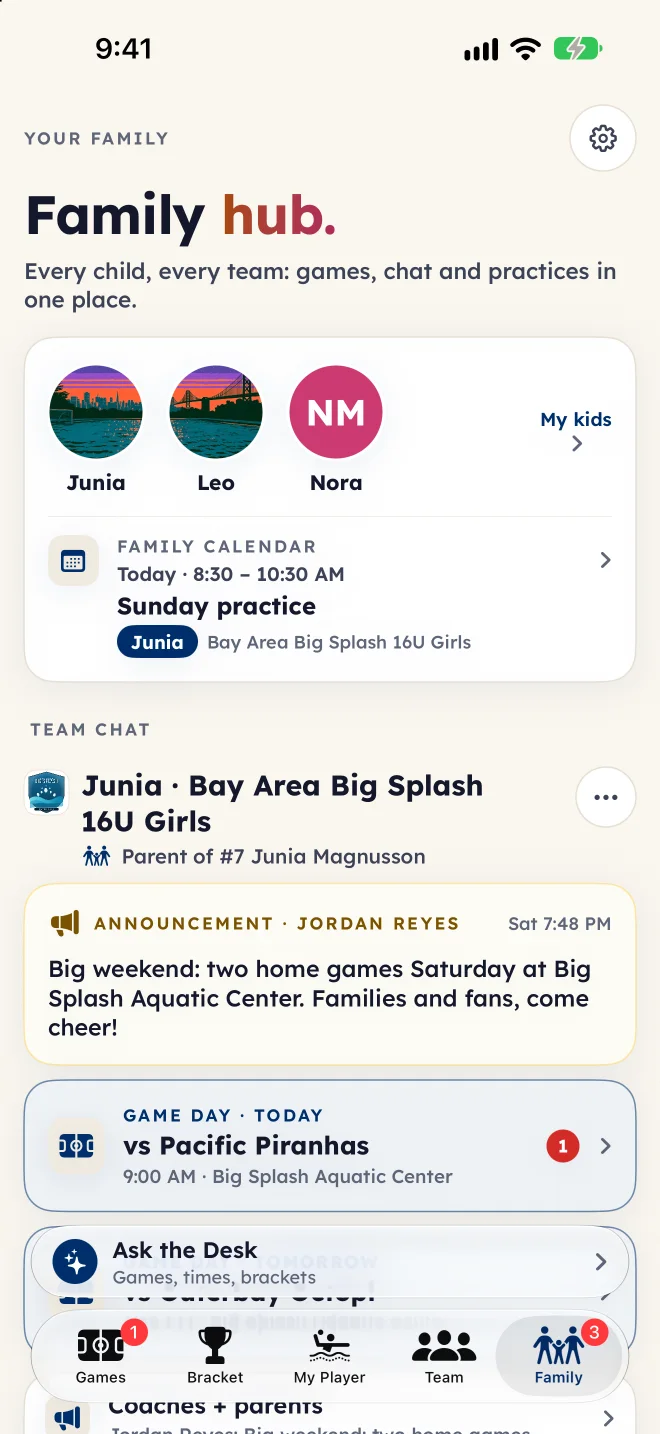

Family hub · Team tools
Schedules, replies, team chat and the contact sheet, in the same app families already open for the live score. One place for every child, every team and every club, instead of a different app for each job.
For families
The Family tab is where a family’s week lives: the kids, the calendar, the announcements and the chats, grouped by child.
The Family hub
My kids across every team and club, what is on today, the latest announcement and each team’s chat and game-day threads, grouped by child. Kids can play on several teams and in several clubs; they all land here.
The family calendar
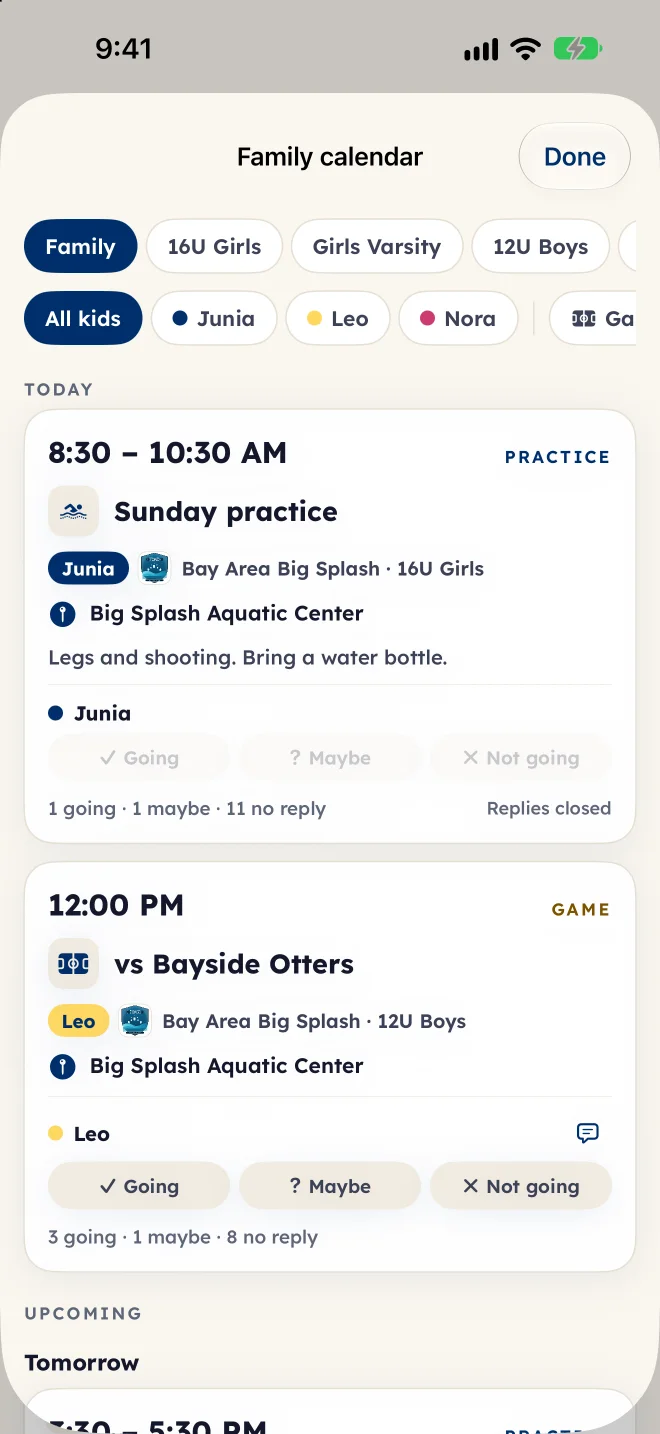
Every game and practice for all your kids lands on one family calendar, by child or by team. Reply going, maybe or not going for each child, with a note for the coach.
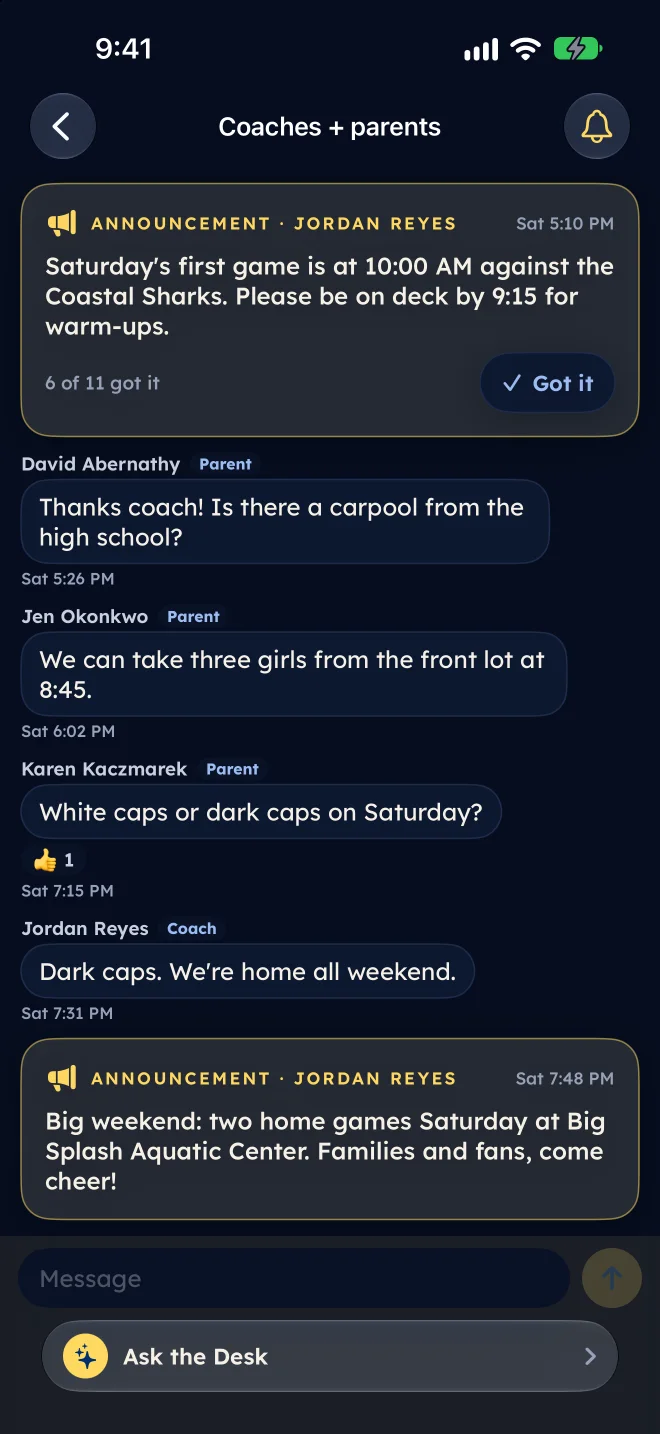
Coaches + parents
Coaches post announcements in Coaches + parents, and a tap on Got it tells the coach you read it. The day before each game, a game-day thread opens with the time and the pool.
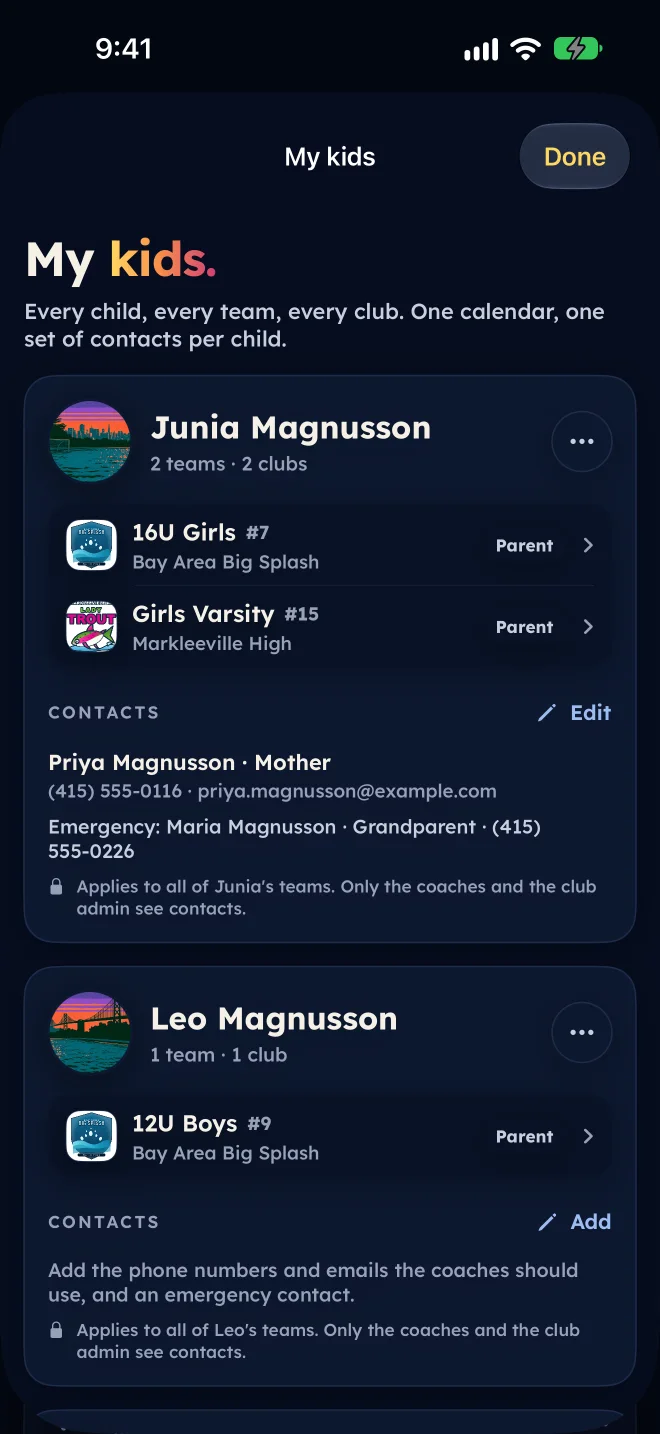
My kids
Phones, emails, an emergency contact and anything the coaches should know, entered once per child and shared with every team that child is on. Only the coaches and the club admin see them. With Premium, add a photo of each child too.
Joining
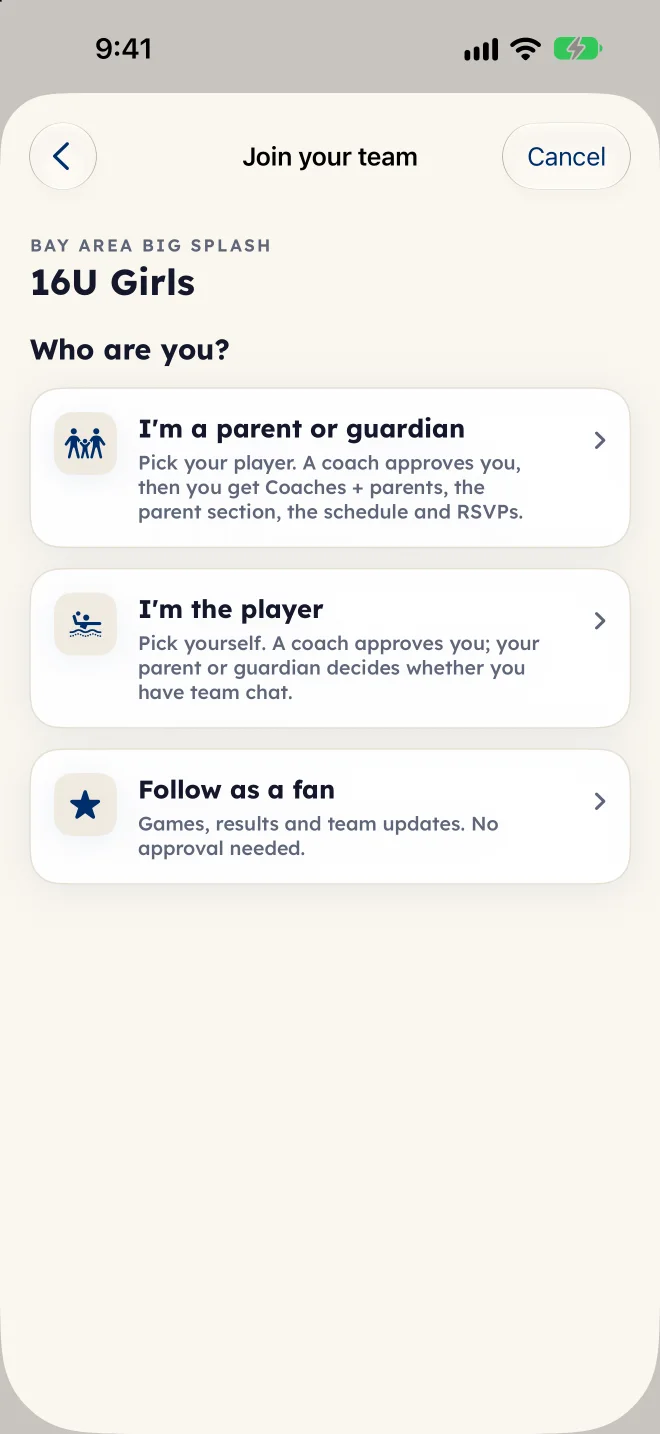
Use the team code or the coach’s invite. A coach approves each family, a player’s chat stays off until a parent or guardian turns it on, and a fan follows with no approval at all.
Fans
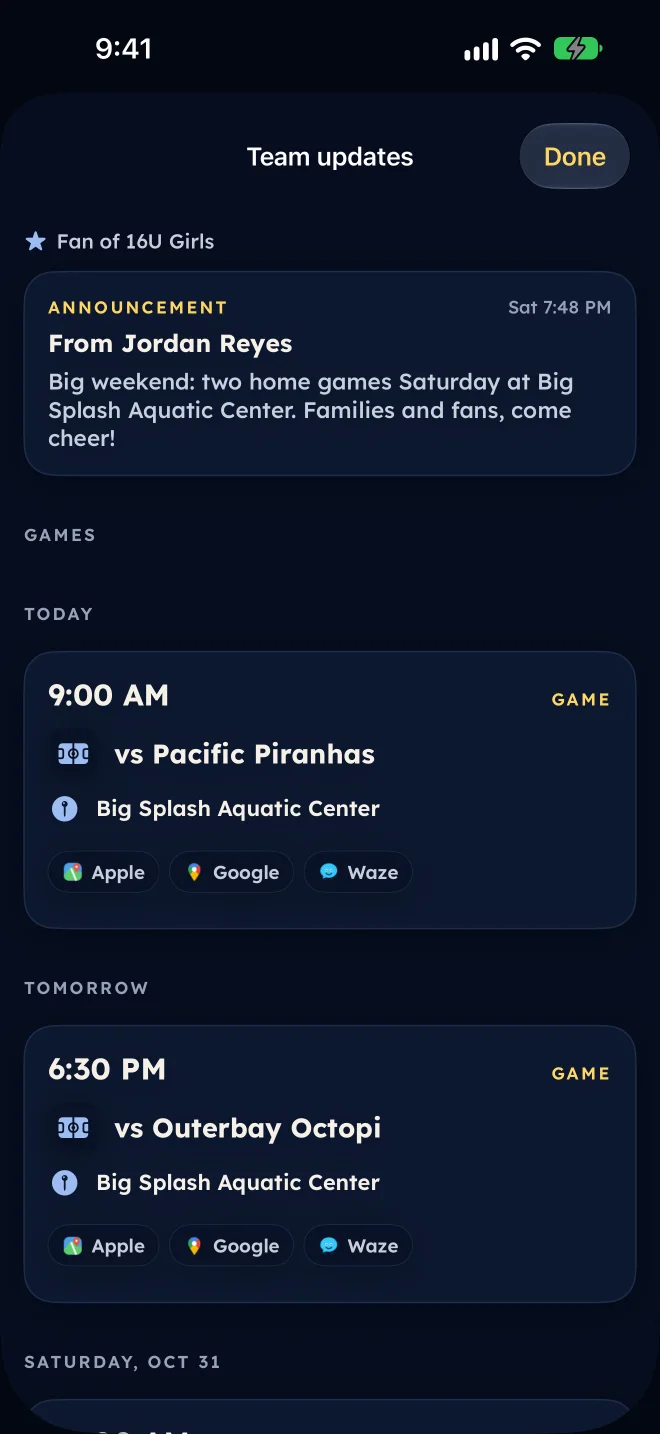
Fans get the games, the results and the team news a coach shares with fans, with directions to the pool. Never practice times, never chat.
Chat, built for safety
Each team gets three channels, and none of them puts a coach alone with a player.
The coaches, the players and one monitor parent the coach chooses.
Announcements with Got it, and questions for the coaches.
Families only: topics for carpools and gear, and a thread for every game day.
For a team not on team tools yet: the families who claimed their kids. No players, no coaches.
A coach never messages a player one to one, and a player’s chat waits for a guardian.
Every channel is visible to the club admin, who can hide a message and mute or remove a member. Anyone can report a message.
For the club
Most clubs juggle an app for the schedule, another for messages, a spreadsheet of phone numbers and a group text for game day. On Eggbeater it is one system, tied to the rosters and games your scorer already keeps.
Recurring practices, meetings and team events beside the games. Cancel or move one and families hear about it.
Going, maybe or not going for every practice and game, with reminders before and Remind Now.
One tap per cap at the pool, and each player’s season attendance on the roster.
Join codes and email invites; a coach approves each family, and fans need no approval.
Every coach signs in as themselves; the head coach sees every age group.
The club admin sees every team’s families, fans and join requests, and moderates chat across the club.
The club admin or the head coach turns team tools on for each team when it is ready.
Schedules, live scores and stats keep working for everyone, with no account.
Before team tools
While a team’s tools are off, a family can claim their child: games, scores, stats, a private reply of their own and a families chat with the other families who claimed theirs. When the coach turns on team tools, each claim becomes a request the coach approves, and practices, team replies, contacts and team chat open up.
Public is self-serve. Private needs the team.
The fine print
Questions
Not to follow. Schedules, live scores and stats work for everyone with no account. Joining a child’s team, replying and chat need a sign-in, so the coach knows who is who.
Yes. My kids groups each child across every team and club, and the family calendar shows every game and practice for all of them in one place.
Only the coaches of your child’s teams and the club admin. Contacts never appear to other families or on any public page.
Only when a parent or guardian turns it on, and only in team chat, which always includes the monitor parent the coach chose. Coaches never message a player one to one.
The team’s games, results and the news a coach shares with fans. Never practice times or chat.
Start with the scoring and the public pages, then turn on team tools team by team. Coaches run it from Eggbeater Coach, and families from the app they already have.