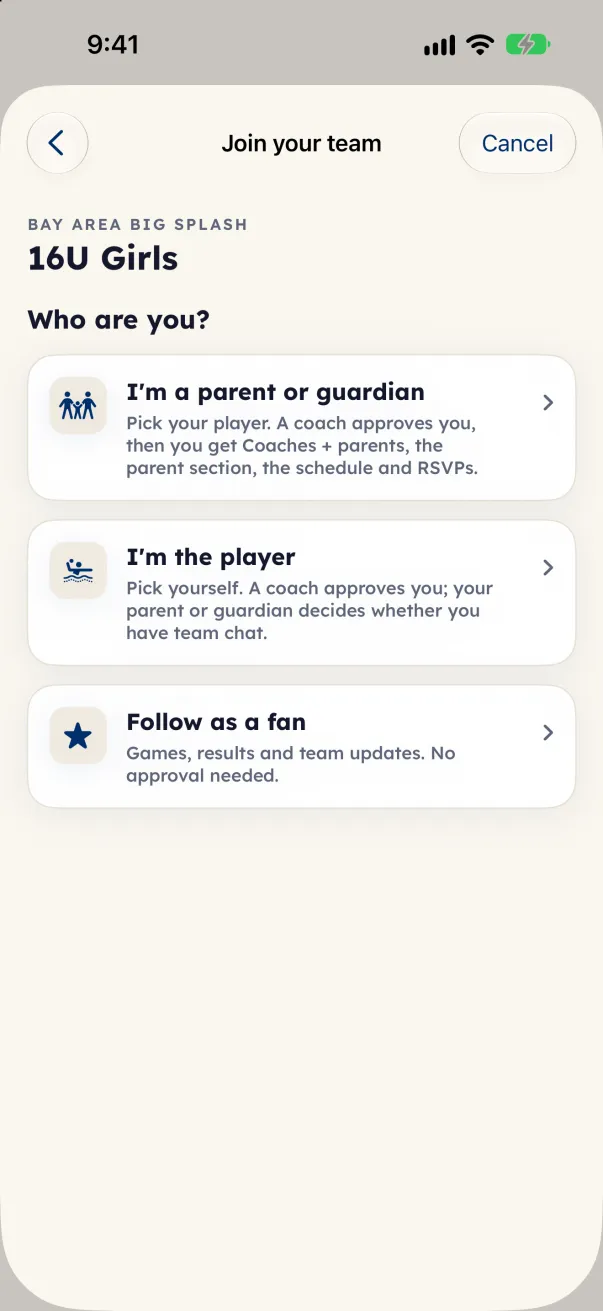
Joining is for players and their families on a team that uses Eggbeater's team tools. You need a team code from the coach (at the pool, on a QR code or in a team email) or a coach's invite link.
- Open the coach's invite link, or open the team code link. You can also start from the app: on iPhone and iPad, open the Family tab and tap I'm a parent or player · Join (Join another team once you are on a team); on Android and the web, tap your initials at the top of the screen, then I have a team code or invite link (Join your team when you are signed in).
- Type the code in Team code and tap Find my team. A pasted link works too.
- Under Who are you?, tap I'm a parent or guardian, I'm the player or Follow as a fan.
- Parents and guardians: under Which players are yours?, pick every child of yours on this team, then tap Continue.
- Check your name in Your name. The coach sees it with your request. Sign in with Google or Apple if the app asks.
- Tap Ask to join (Ask the coach when you add a child to a team you are already on). You see Request sent until the coach approves you.
A coach's emailed invite skips the approval: tap Accept invite and you are on the team.
What each choice gets
- Parents and guardians get Coaches + parents, the parent section, the schedule with practices, and replies for each child.
- Players are approved by a coach. A player's account turns on once a parent or guardian is linked, and that parent or guardian decides whether the player has team chat.
- Fans follow games, results and team updates. No approval, no chat, no practice times.