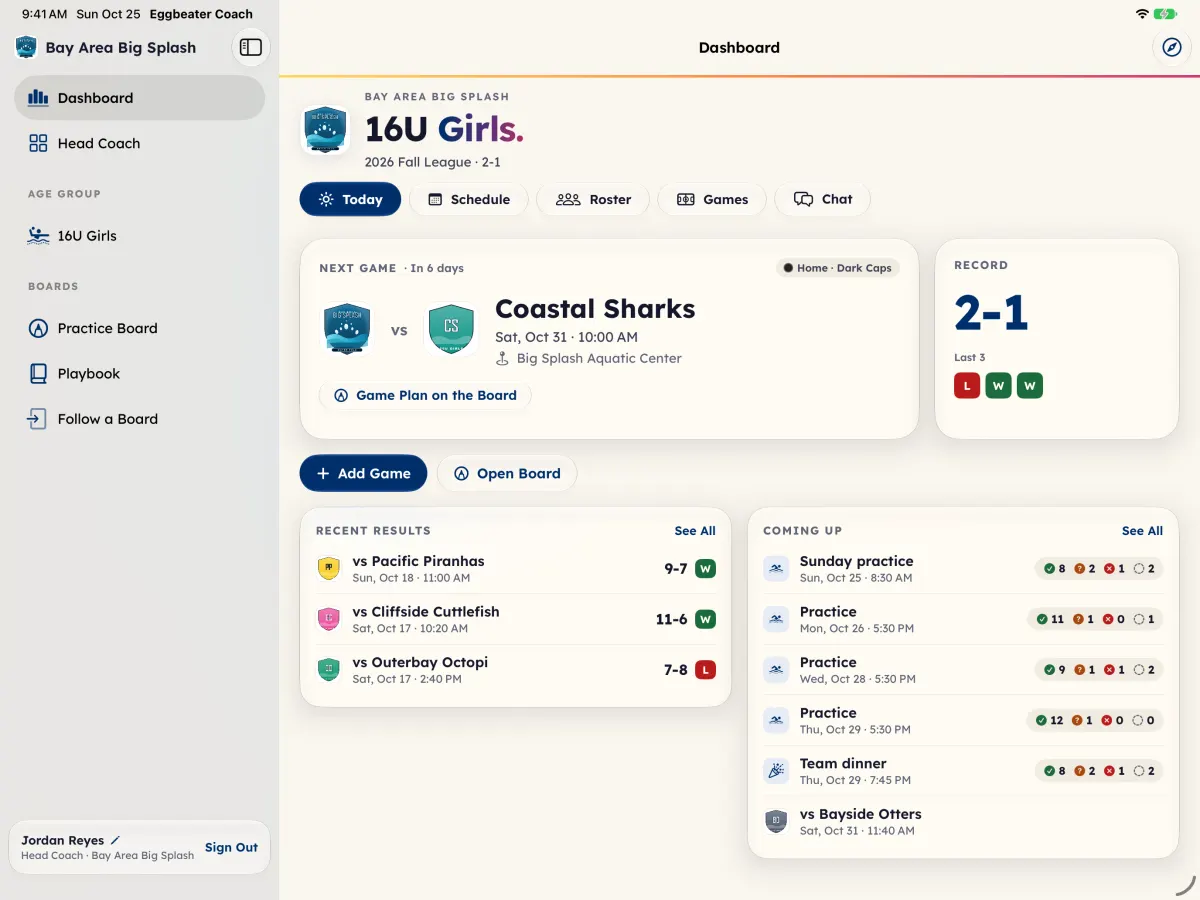
On the iPad, Dashboard has five sections across the top: Today, Schedule, Roster, Games and Chat. Today has the next game (with Game Plan on the Board), the team's record, Add Game, Record Final when a past game has no score, Open Board, Recent Results and Coming Up. The sidebar also has your age groups, Practice Board, Playbook and Follow a Board, and Head Coach for head coaches.
On the web, the sidebar has the same pieces in groups: Today; Team (Schedule, Roster, Chat, Games); Film (Film Review); Insight (Stats, Players, Scouting, Report, Standings, Event); Board (Playbook, Live Pool); and Club (Head Coach and Coaches for head coaches, My players, Settings). On a phone the tabs at the bottom are Today, Schedule, Games, Film and More.
Good to know
- Roster has the players and caps, and the families: who is linked, contacts, join requests, invites, the team join code, attendance and fans.
- Games opens each game in Live Pool. On the iPad it starts with the Coaches Reports, one for each tournament, and a game with plays shows Replay.
- You see the age groups your account covers. A head coach sees every age group.