On the web
- On the web, open Live Pool, or open a game from Games and tap Open in Live Pool, then pick the Game.
- Play, pause or scrub the replay. Tap Summary for Foul trouble, Our players and Their shooters, and filter Plays by goals, shots, exclusions or turnovers.
- Draw on the board with Draw, Arrow, Pass and Move, or tap Draw on this moment to sketch over the replay.
- Tap Save board. Signed in, it goes to your coach dashboard.
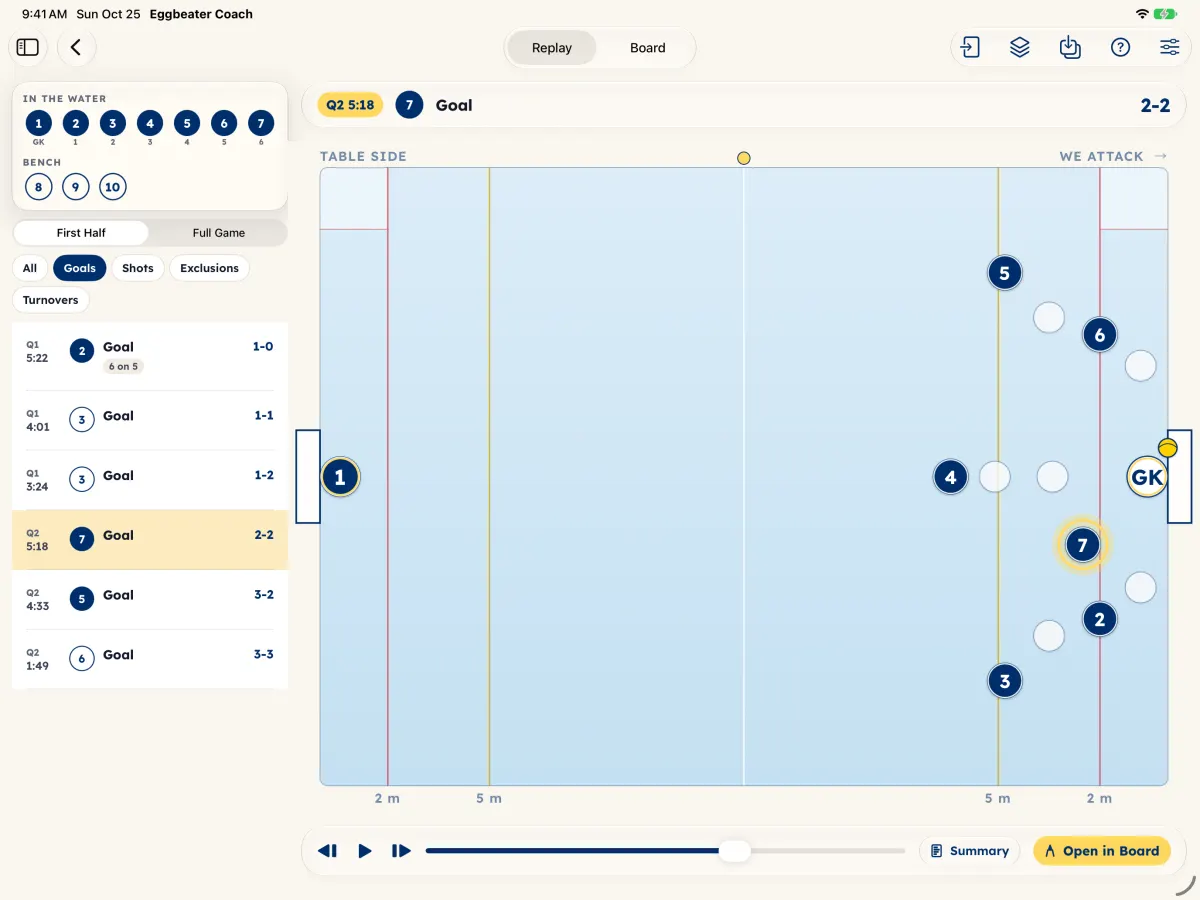
On the iPad
- Tap a game under your age group, or in Dashboard, then Games. A game with plays shows a Replay pill.
- The game opens in Live Pool. Switch between Replay and Board at the top.
- Play or scrub the replay, tap Summary for the game so far, or tap Open in Board to draw on that moment.
- Tap Save for Save Board to Game, Save as Play, Share Image or Share Video.
On the iPad, Board Basics shows the gestures: draw with Apple Pencil, move caps with a finger, two-finger tap to undo.
Live Pool opens once a game has been scored on Eggbeater with play-by-play.