Coaches
Build a playbook and a game plan PDF
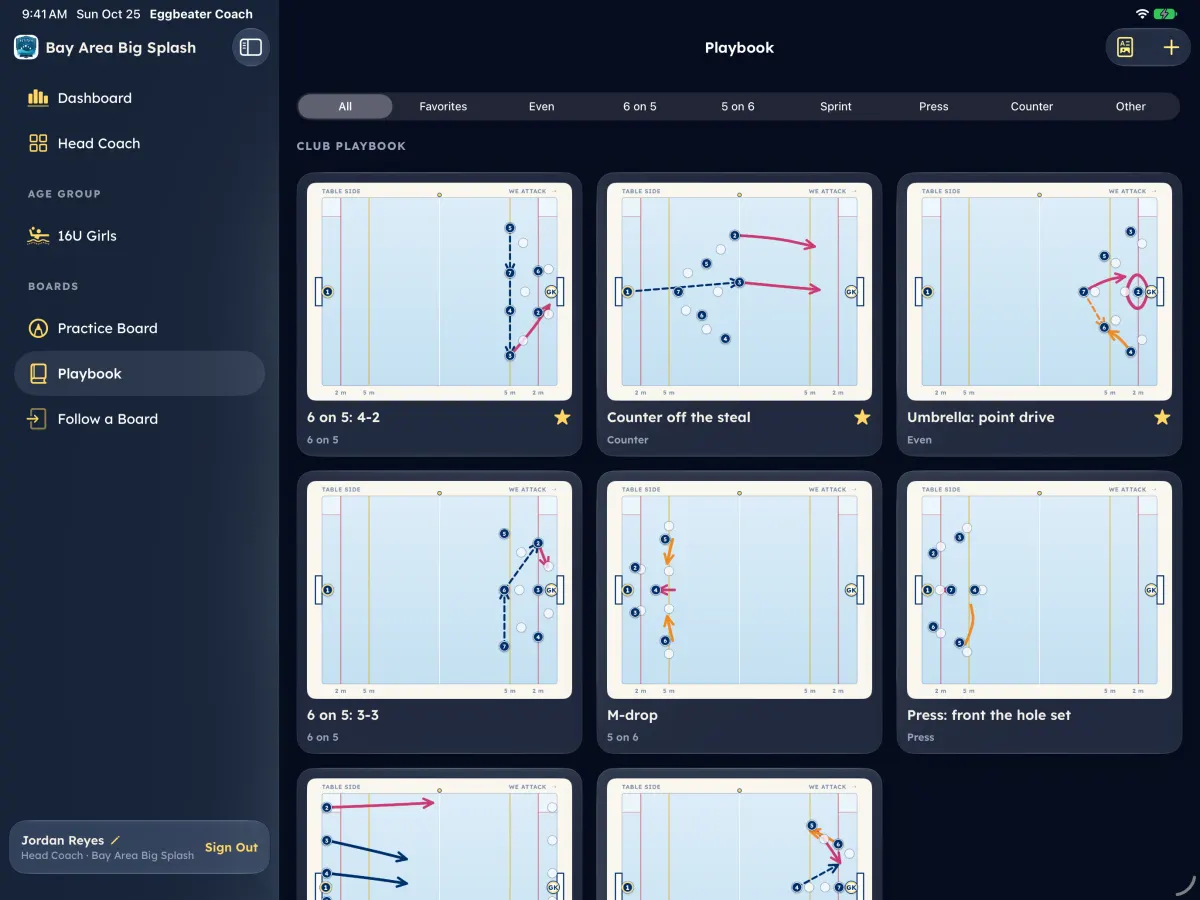
Save plays, star your favorites, and on the iPad share a game plan PDF with a scouting page on the opponent.
Works on: Playbook on the coach dashboard and Eggbeater Coach for iPad; the game plan PDF on the iPad
Your playbook
- 1Open Playbook and tap New play, or save a board from Live Pool.
- 2Star a play to make it a favorite. Favorites load in Live Pool and in Eggbeater Coach.
- 3Tap Share with players to share a play; Stop sharing takes it back.
A game plan PDF (iPad)
- 1In Eggbeater Coach, open Playbook and tap Game Plan.
- 2Choose the Opponent. Eggbeater adds a scouting page from every game this team has played them.
- 3Pick the Plays (your favorites are already picked).
- 4Tap Share PDF.
All help articles
Still stuck?
Email us with your club, your team and what you tapped. A real person answers within 1 business day.
