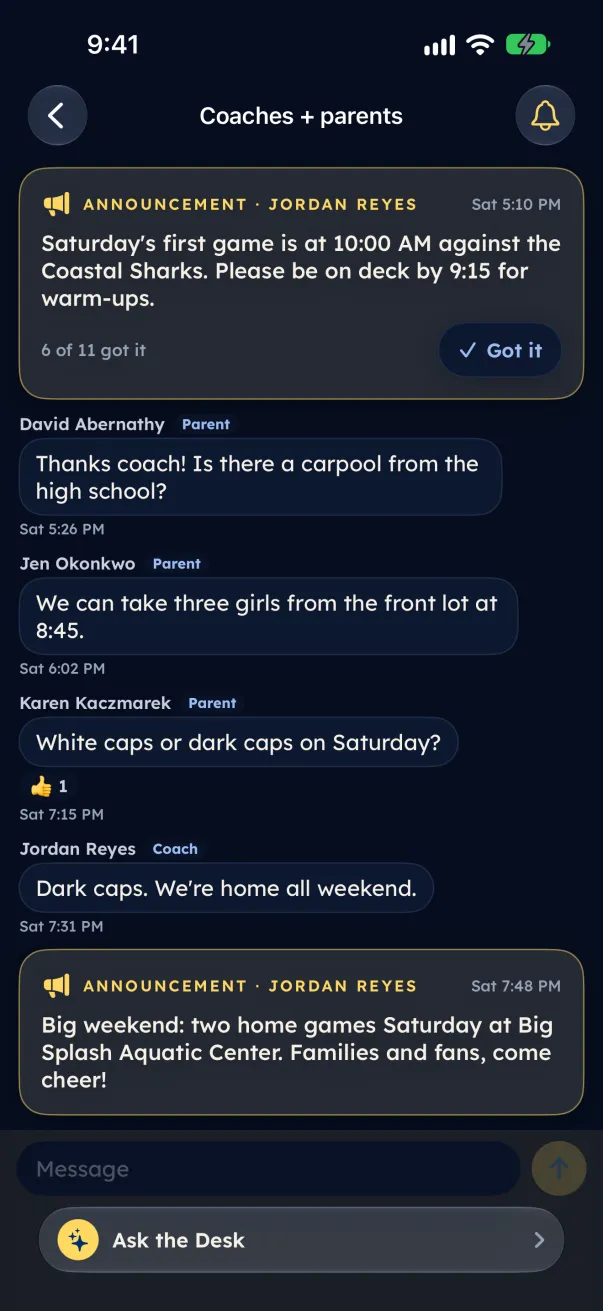
- Open your family hub. A new announcement is pinned at the top of the team's section, marked Announcement, with the coach's name.
- Read it and tap Got it. The button turns green, and the coach's count goes up, for example "9 of 12 got it".
- To see the whole conversation, open Coaches + parents.
Only coaches post announcements. Parents and guardians tap Got it. A coach can also share an announcement with fans, which puts it in the team's Team updates.